Street works

Street works coordination

Coordinators decide permit applications from Street Manager with the clashes, restrictions and earlier permits for the same street in front of them. Inspectors record what they find on site from a phone and do not need a signal to do it.

Permits and street works

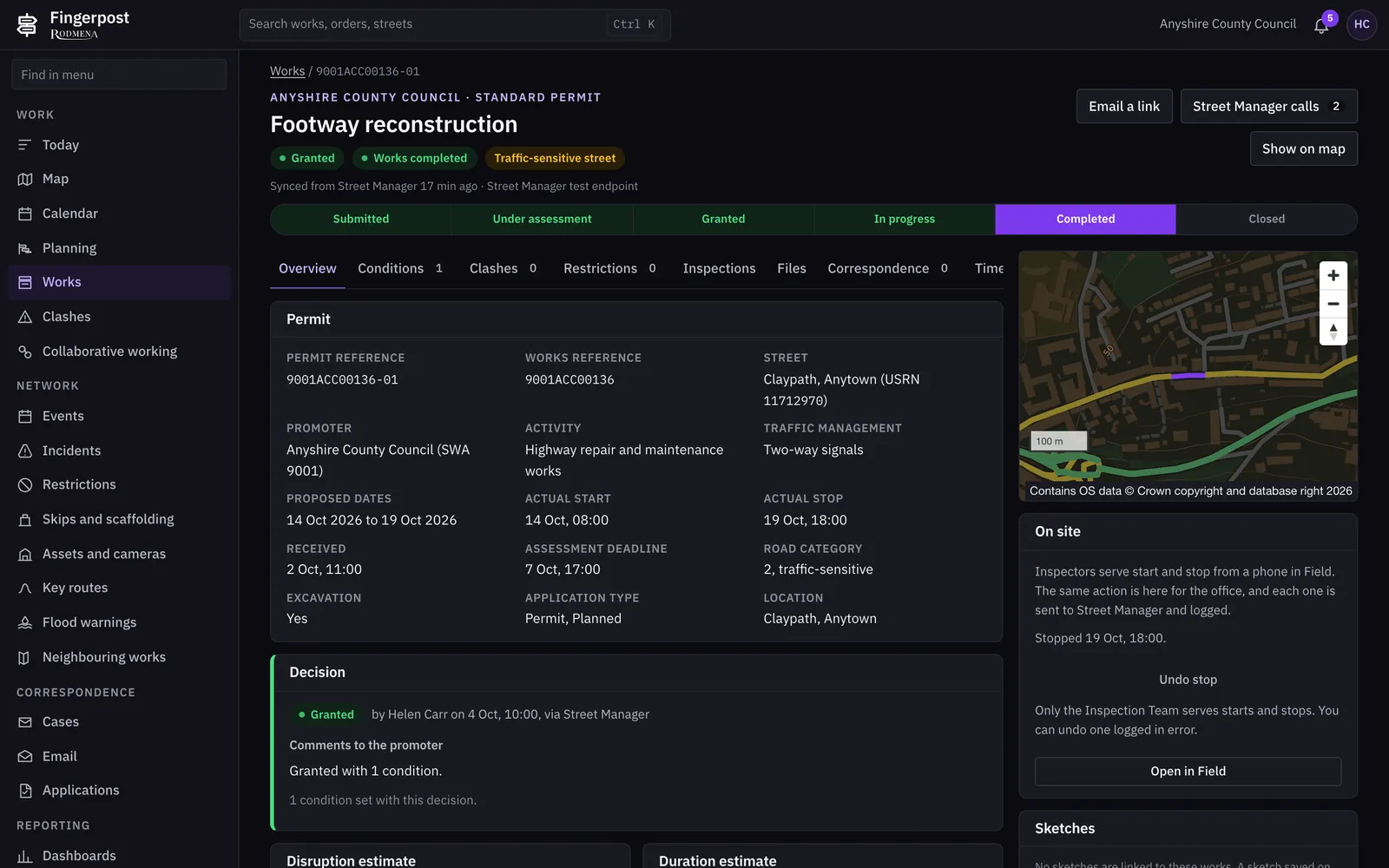
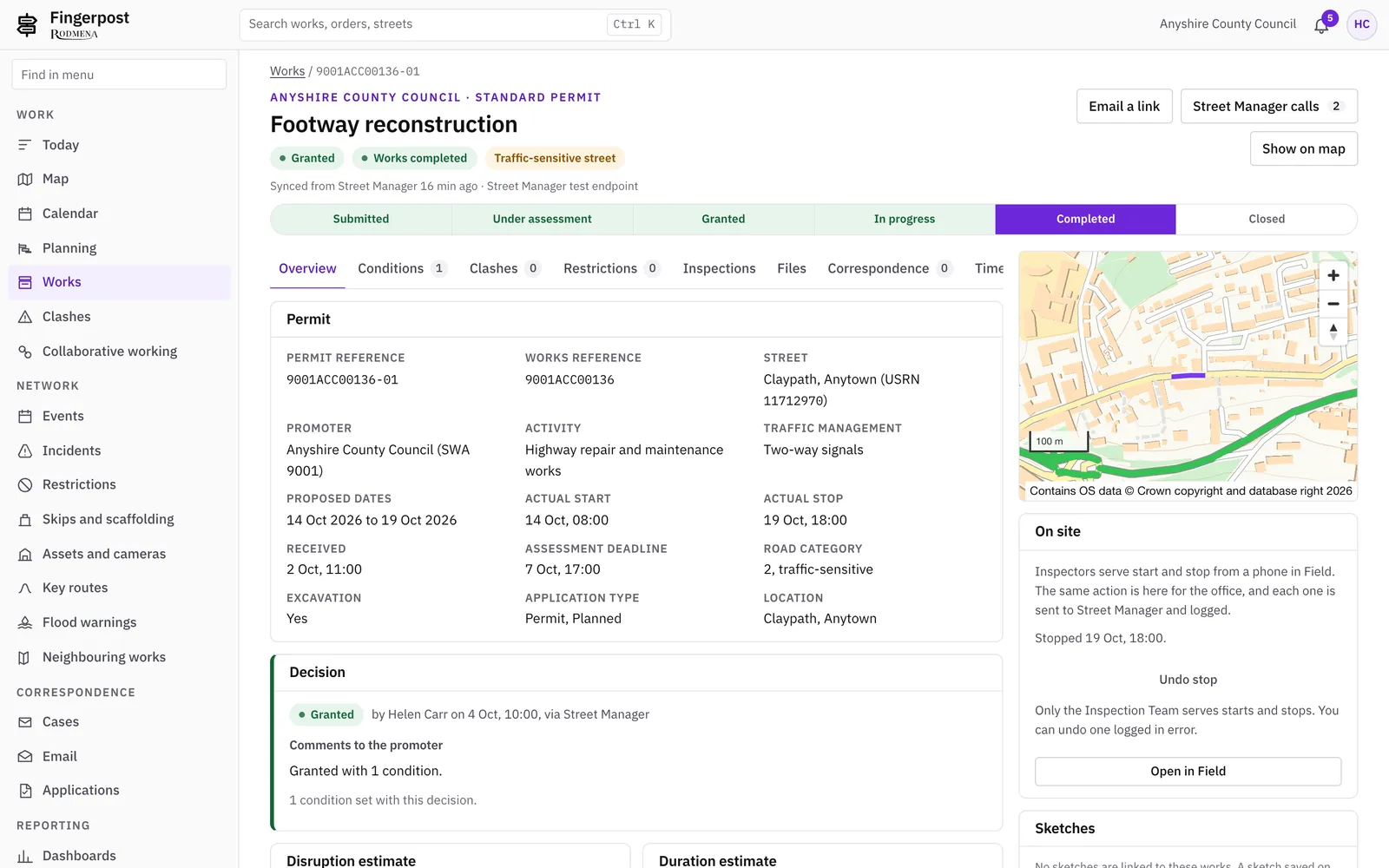
Permit applications arrive from Street Manager and are decided in Fingerpost. The decision, its conditions and any request for changes go back to Street Manager.

  • A works register of proposed, live and closed works, including provisional advance authorisations, with search and filters for status, category and promoter.
  • A permit record with its conditions, clashes, restrictions, inspections, files, correspondence and full timeline on one page.
  • Grant, refuse or ask for a change, with the conditions written once and sent with the decision.
  • Watch lists for works that are overrunning, about to be deemed, or due to start or stop today.
  • Section 58 restrictions on newly resurfaced streets, recorded once and sent to Street Manager.
  • Promoters’ forward plans alongside the permits that follow from them.
  • A connector monitor that logs every call to and from Street Manager with its request and response.

Works to

  • Street Manager API
  • New Roads and Street Works Act 1991, s58 and s74
  • Traffic Management Permit Scheme (England) Regulations 2007
Fingerpost: Permits and street worksFingerpost: Permits and street works

Clashes and coordination

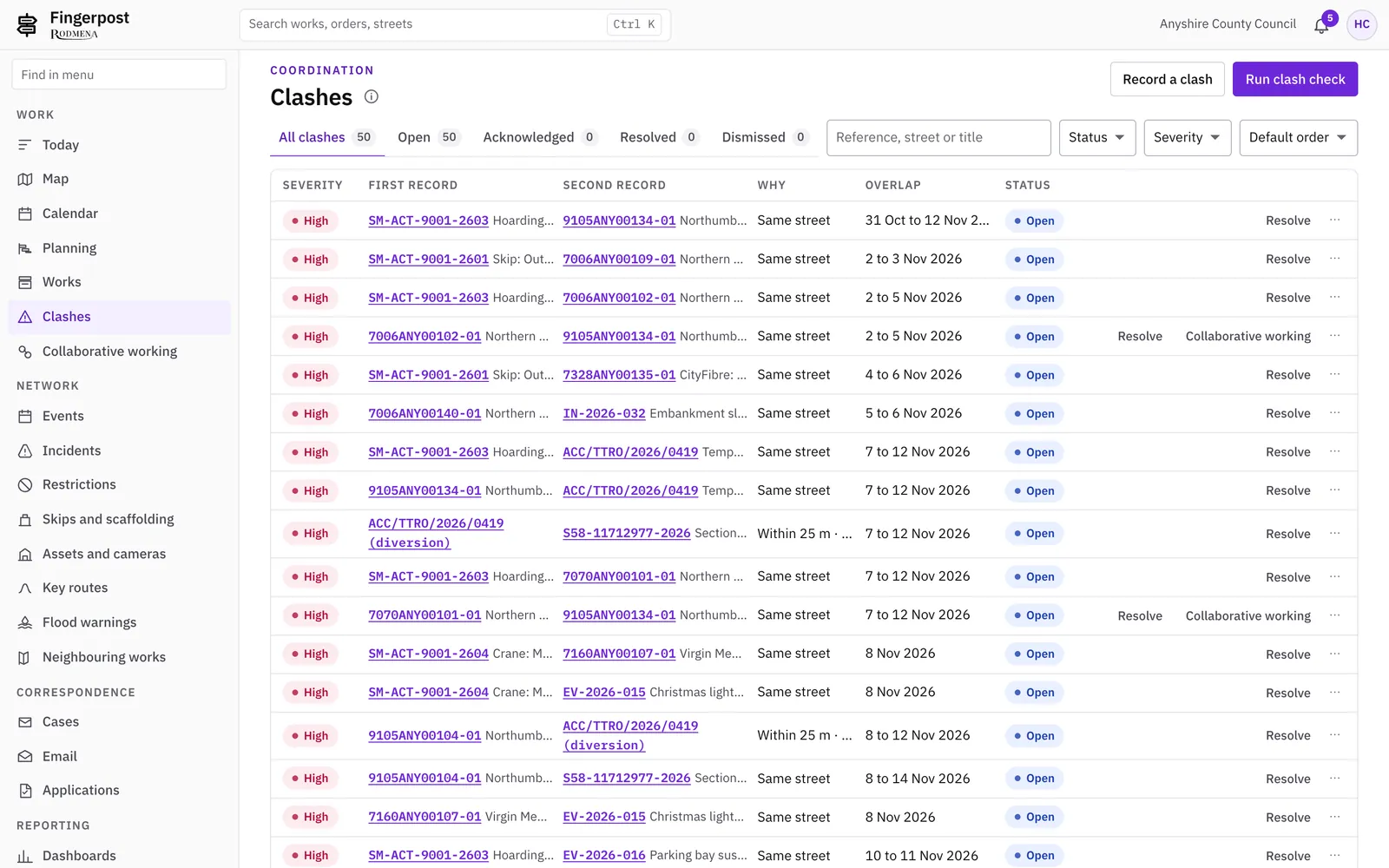
Fingerpost checks each new permit, order, event and incident against everything else on the network and lists the clashes for a coordinator to resolve.

  • A clash register with the two records, the street and the dates side by side, and a note of how each clash was resolved.
  • Clash rules and embargoes your coordinators set themselves, such as a town centre before Christmas.
  • Collaboration suggestions for promoters who plan to dig the same street, or streets close by, within 28 days of each other.
  • A Today queue that ranks the day’s work and gives the reason for each row.
  • A calendar of works, orders, events, incidents and deadlines by month and week.
  • A planner that lays out work by officer and date on a Gantt chart. It suggests dates and changes no record.
  • Works near your boundary from neighbouring authorities, and National Highways events.
Fingerpost: Clashes and coordinationFingerpost: Clashes and coordination

Field app for inspectors

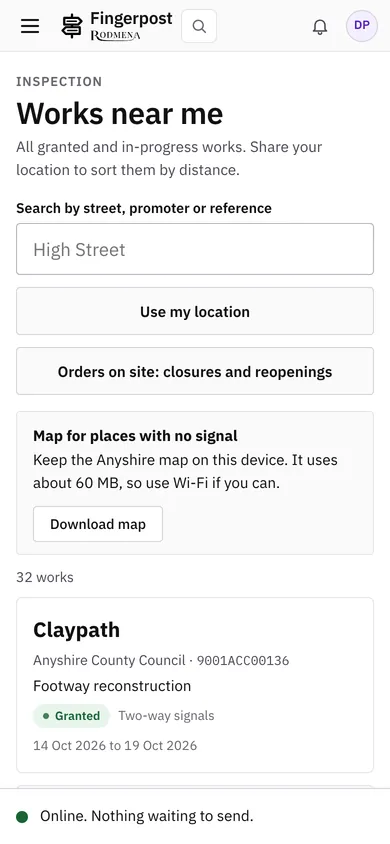
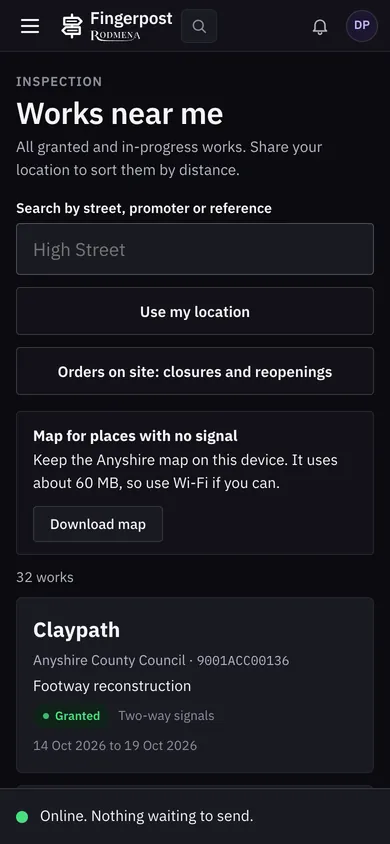
Inspectors use Fingerpost on a phone. Works starts and stops, notes and photos recorded without a signal are sent when the phone is back online.

  • Works near me, sorted by distance from where the inspector is standing.
  • Start and stop served on site, with a photo resized on the phone before it is sent.
  • An outbox that keeps what was recorded offline and sends it once, however often the phone reconnects.
  • An optional offline base map of your area, about 60 MB, downloaded once to the phone.
  • Sample inspections in categories A, B and C, recorded against the permit.
  • Copies kept on the phone expire after seven days and are deleted at sign-out.
Fingerpost: Field app for inspectorsFingerpost: Field app for inspectors

Enforcement

Enforcement officers see breaches as they happen and issue fixed penalty notices from the permit they relate to.

  • An enforcement view of works past their proposed end with the section 74 charge so far, and failed inspections to follow up.
  • Fixed penalty notices tracked from issue to payment, dispute, withdrawal or prosecution.
  • Penalty notices paid at the discounted rate are told apart from those paid in full.

See it with your own network

We show Fingerpost on a map of your area. Write to us and we will arrange a time.

Book a demonstration