Features

Every feature in Fingerpost

Fingerpost covers the work of a highway authority’s street works and traffic regulation teams, from a permit application to the public notice of a closure. These are the features, by the team that uses them.

Permits and street works

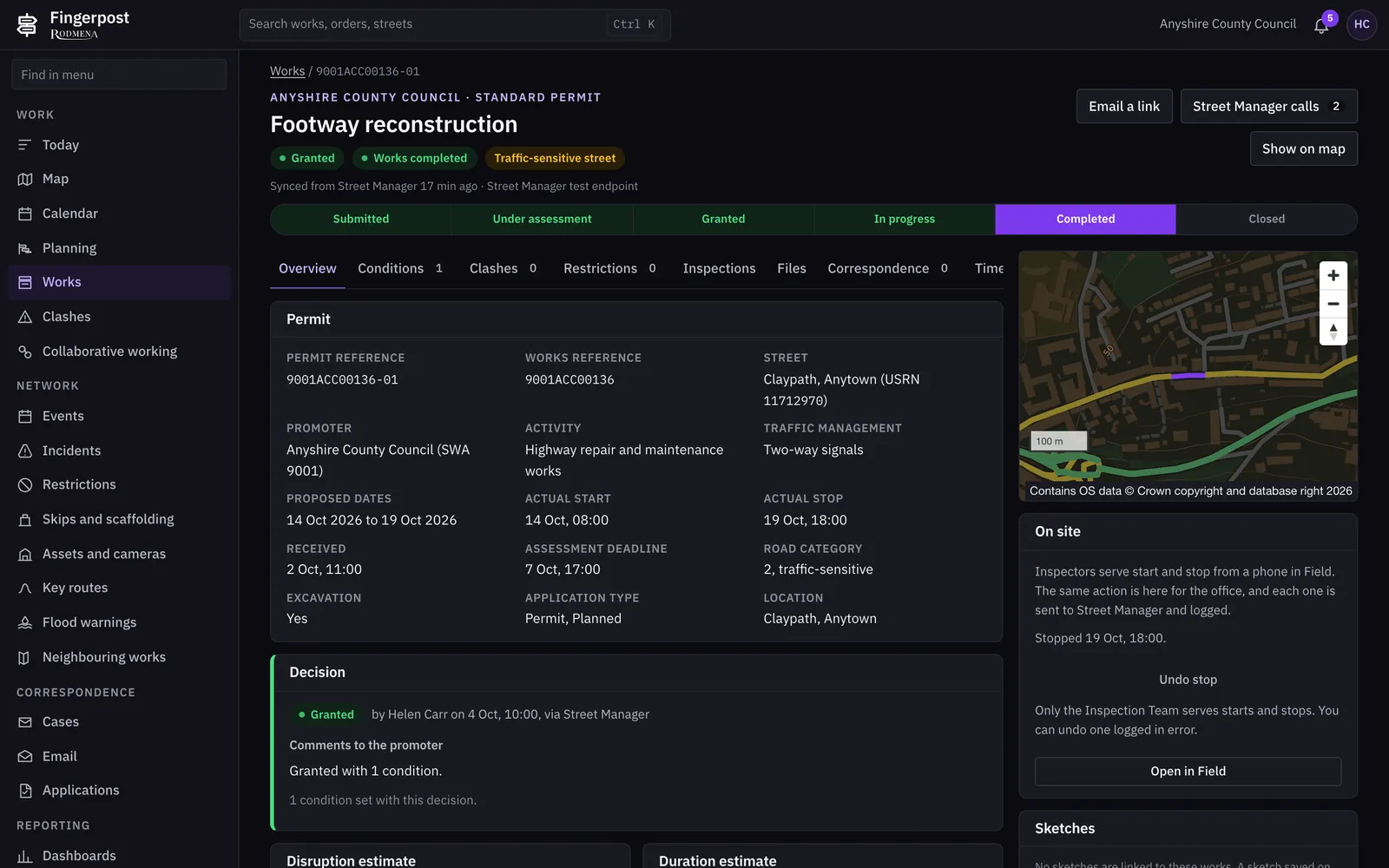
Permit applications arrive from Street Manager and are decided in Fingerpost. The decision, its conditions and any request for changes go back to Street Manager.

  • A works register of proposed, live and closed works, including provisional advance authorisations, with search and filters for status, category and promoter.
  • A permit record with its conditions, clashes, restrictions, inspections, files, correspondence and full timeline on one page.
  • Grant, refuse or ask for a change, with the conditions written once and sent with the decision.
  • Watch lists for works that are overrunning, about to be deemed, or due to start or stop today.
  • Section 58 restrictions on newly resurfaced streets, recorded once and sent to Street Manager.
  • Promoters’ forward plans alongside the permits that follow from them.
  • A connector monitor that logs every call to and from Street Manager with its request and response.

Works to

  • Street Manager API
  • New Roads and Street Works Act 1991, s58 and s74
  • Traffic Management Permit Scheme (England) Regulations 2007
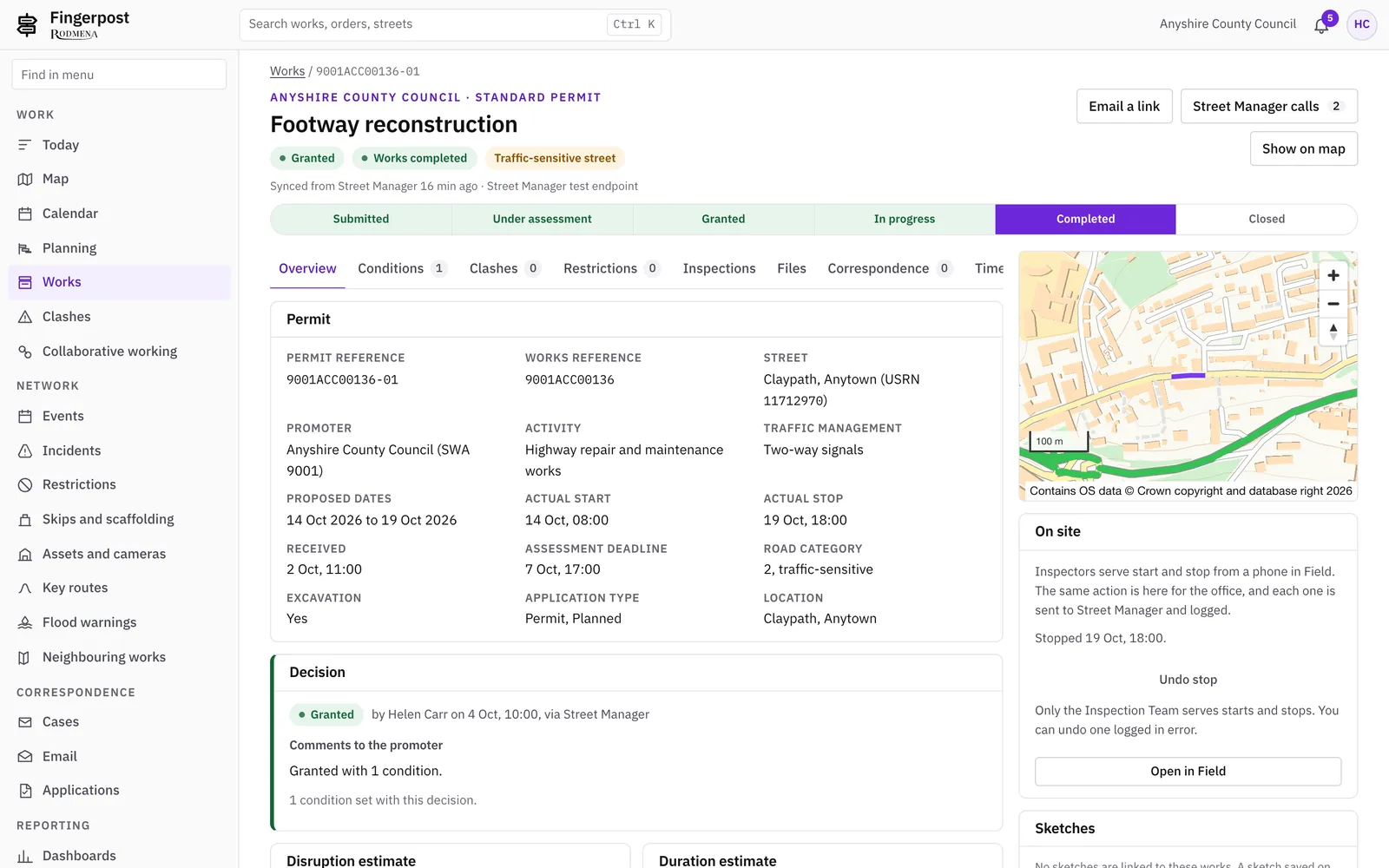
Fingerpost: Permits and street worksFingerpost: Permits and street works

Clashes and coordination

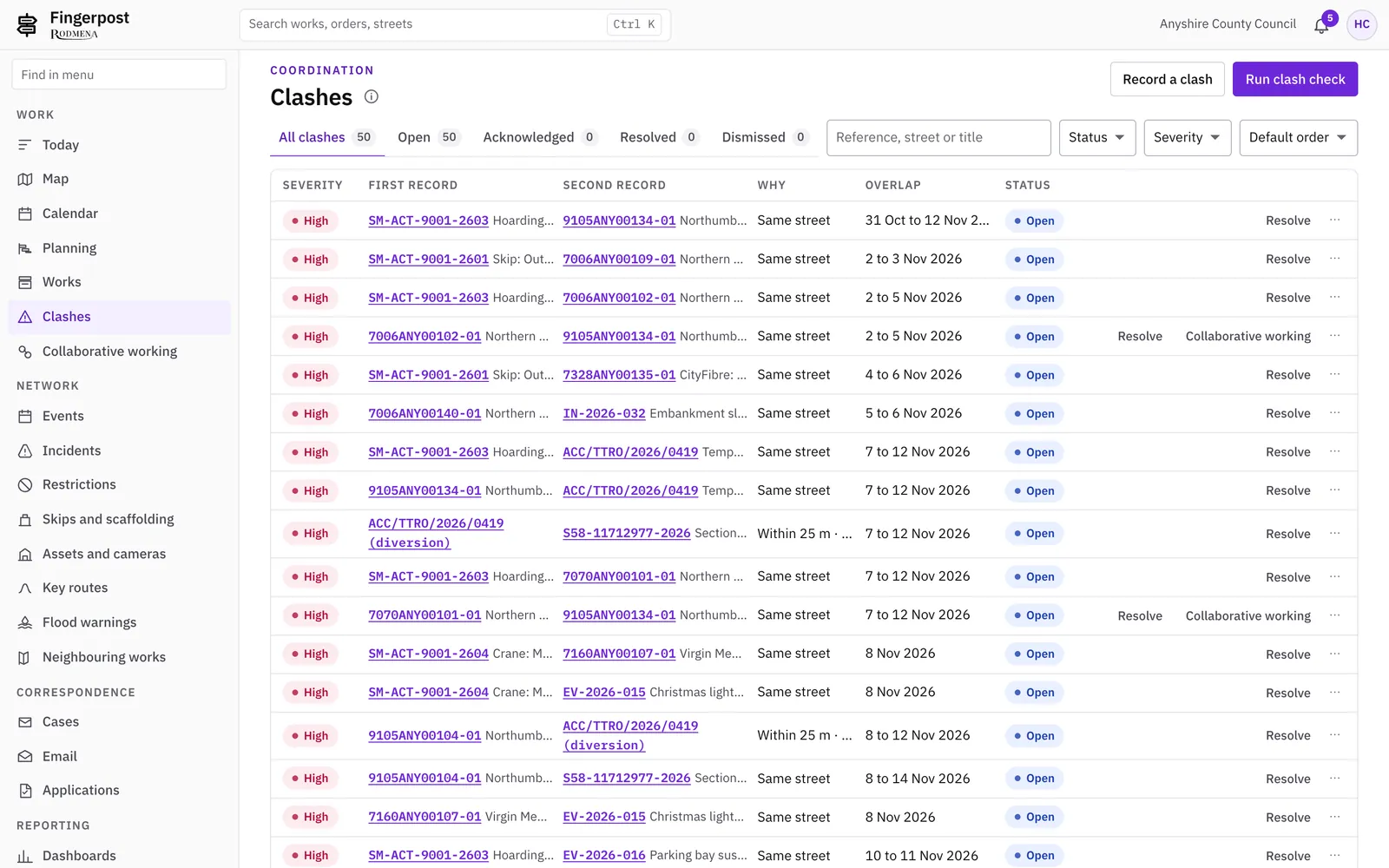
Fingerpost checks each new permit, order, event and incident against everything else on the network and lists the clashes for a coordinator to resolve.

  • A clash register with the two records, the street and the dates side by side, and a note of how each clash was resolved.
  • Clash rules and embargoes your coordinators set themselves, such as a town centre before Christmas.
  • Collaboration suggestions for promoters who plan to dig the same street, or streets close by, within 28 days of each other.
  • A Today queue that ranks the day’s work and gives the reason for each row.
  • A calendar of works, orders, events, incidents and deadlines by month and week.
  • A planner that lays out work by officer and date on a Gantt chart. It suggests dates and changes no record.
  • Works near your boundary from neighbouring authorities, and National Highways events.
Fingerpost: Clashes and coordinationFingerpost: Clashes and coordination

Traffic regulation orders

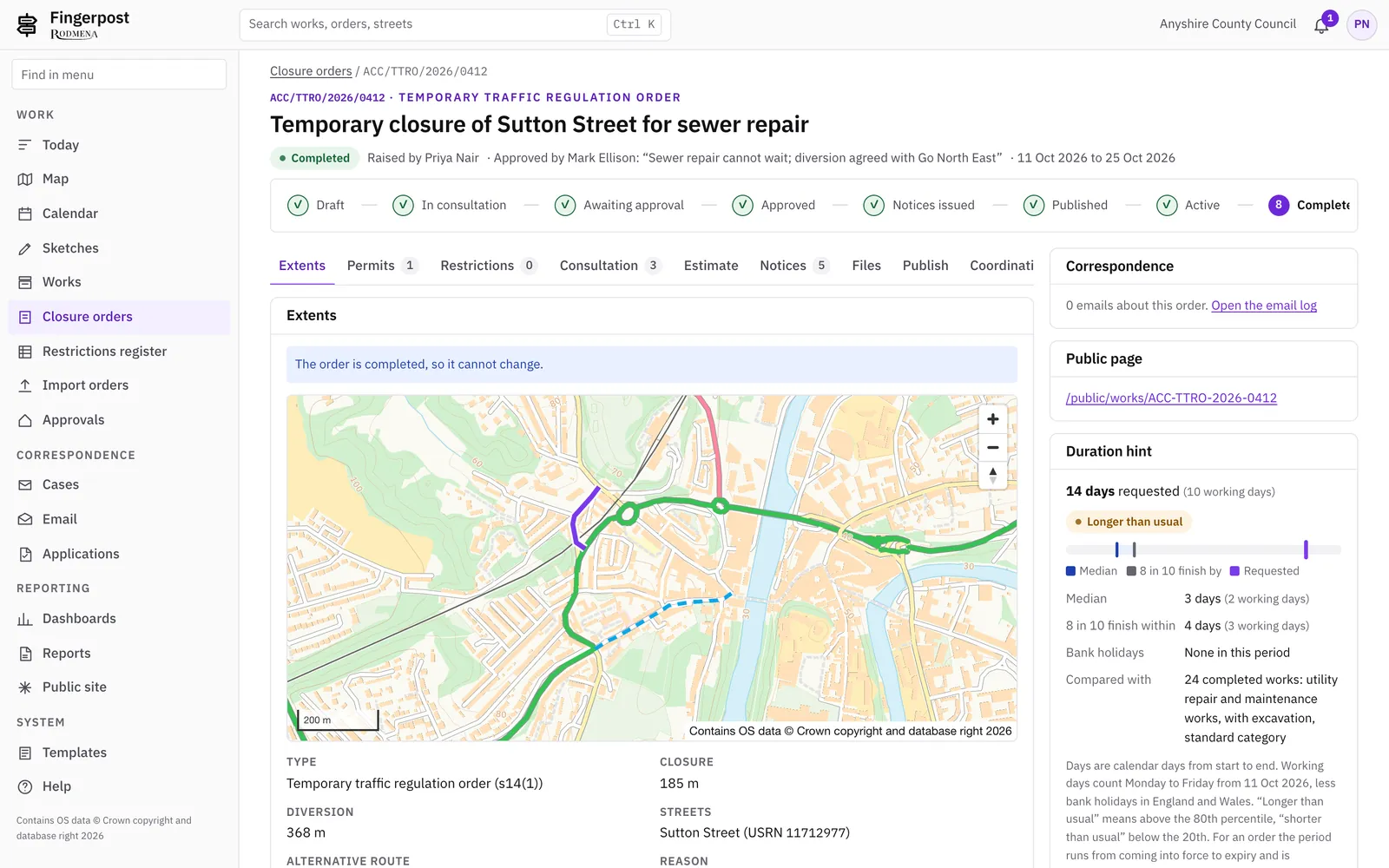
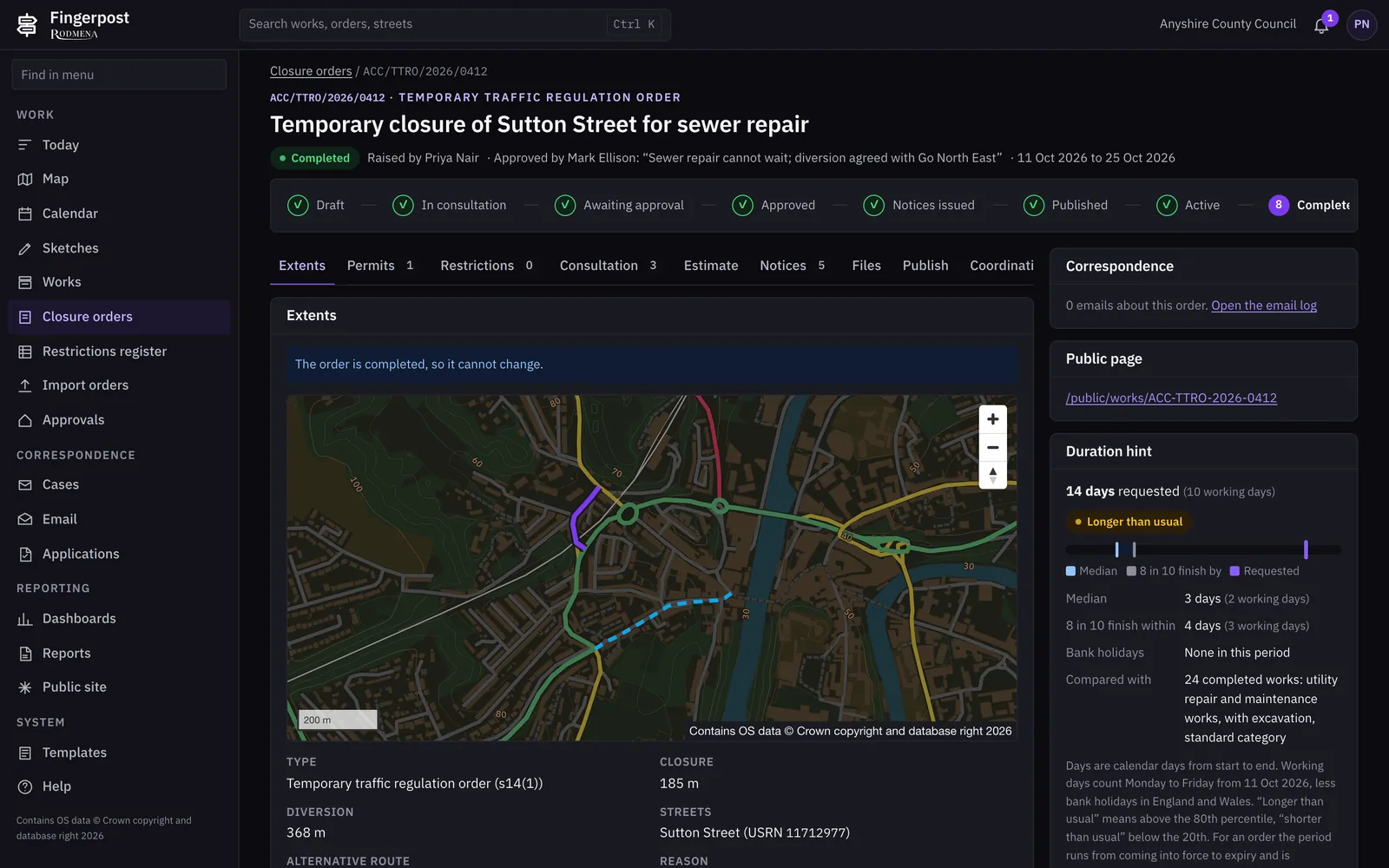
Officers draft temporary, experimental and permanent orders with the legal checks shown as they write. Each order goes through consultation, approval, notices and publication in one record.

  • Five kinds of order: temporary order, temporary notice, special event, experimental and permanent.
  • A five-step wizard that checks the rules for the kind of order as you go, such as the 18-month limit and seven days’ notice.
  • Closures and diversions drawn on the map, with the street references and lengths filled in.
  • Consultation letters, public comments and objections recorded against the order, with a decision on each objection.
  • An approvals inbox for managers. The officer who wrote an order cannot approve it.
  • Statutory notices generated from the order, each with its SHA-256 hash on the order’s Notices tab.
  • A register of restrictions in force on any date you choose.
  • Orders made before Fingerpost loaded from CSV, GeoJSON or D-TRO files, checked before anything is created.

Works to

  • Road Traffic Regulation Act 1984, s14(1), s14(2), s14(3) and s16A
  • SI 1992/1215 (temporary orders)
  • SI 1996/2489 (procedure regulations)
Fingerpost: Traffic regulation ordersFingerpost: Traffic regulation orders

D-TRO publication

Made orders are published to the Department for Transport’s D-TRO service in its 4.0.0 data model, checked against DfT’s published schema before they are sent.

  • Each record is checked against DfT’s JSON schema before it is sent, and the result shows on the order’s Publish tab.
  • The 3.4.1 record shape is kept as well, for services that still read it.

Works to

  • D-TRO data model 4.0.0
  • British National Grid (EPSG:27700) geometry

Network map and data

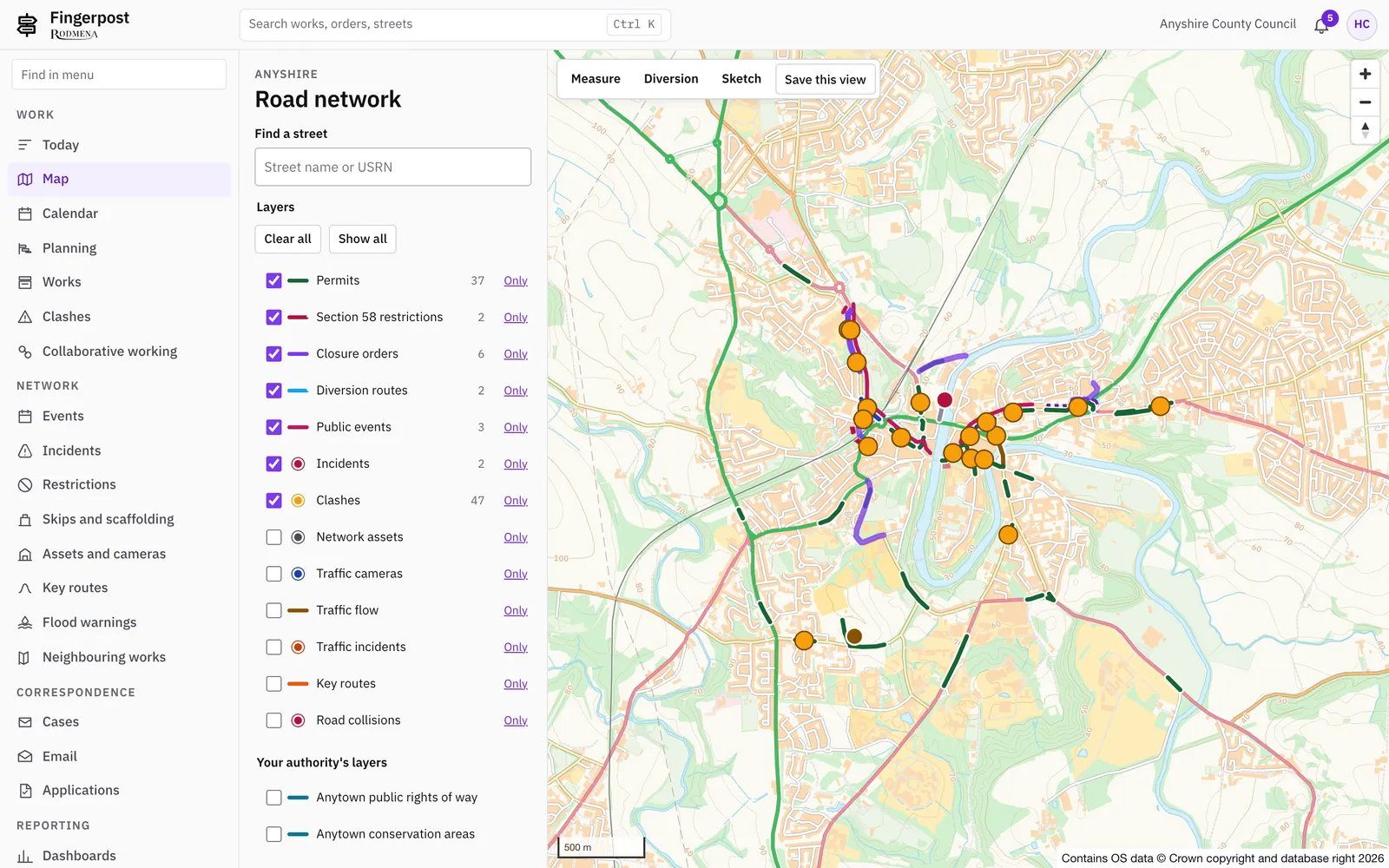
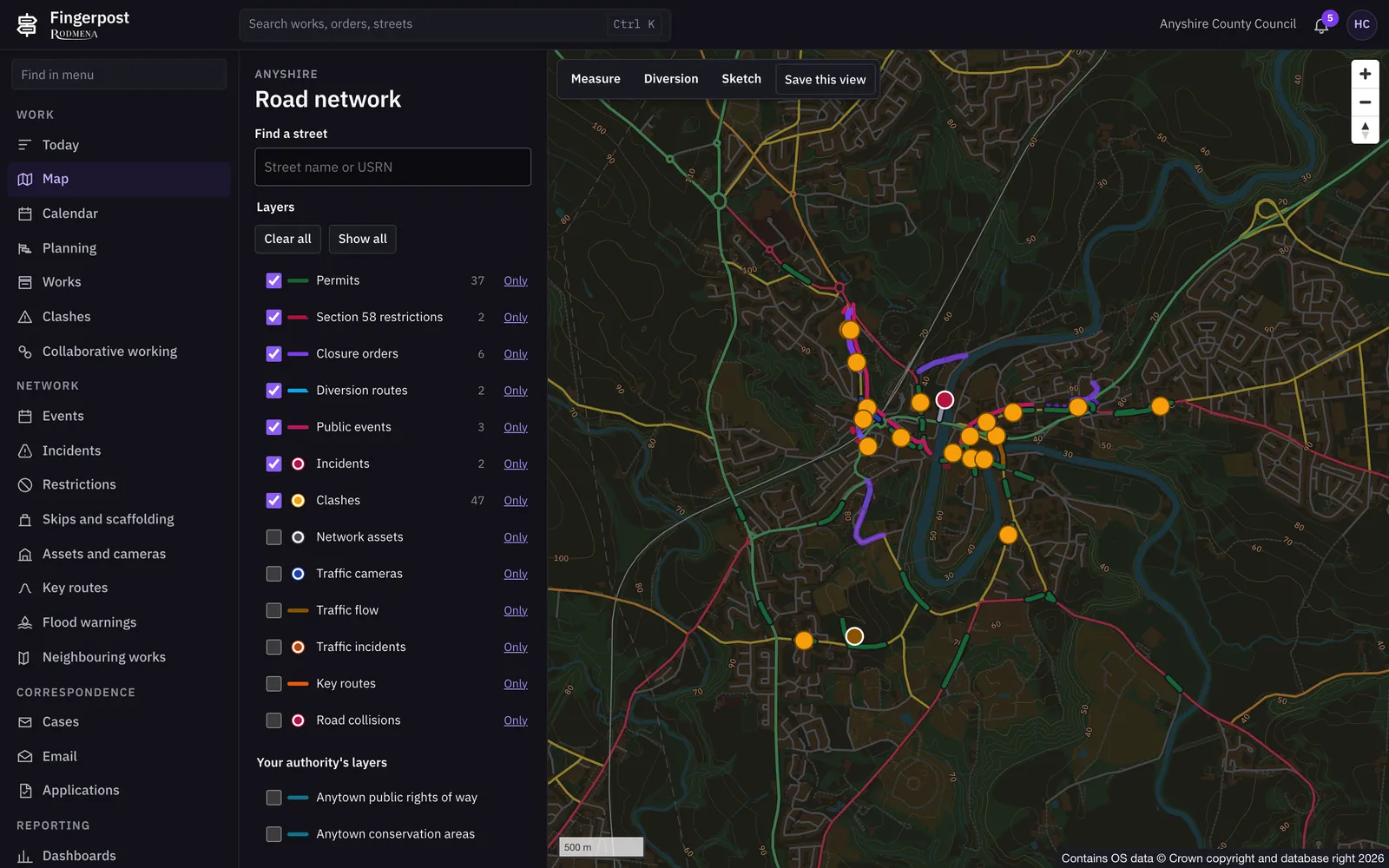
One map of your network with works, orders, events, incidents and assets on it. Officers start most tasks from the map.

  • Thirteen map layers that officers switch on and off, with a legend for each status.
  • Events and incidents recorded on the map and included in the clash check.
  • Key routes and bus routes, imported from the Bus Open Data Service, with journey times.
  • Environment Agency flood warnings and river levels, with an incident raised from a warning in one step.
  • Skips, scaffolds and section 50 licences on the same map as the works.
  • Sketches and traffic management plans drawn on the map with Chapter 8 symbols.
  • Your own layers added from WMS, WFS, GeoJSON, ArcGIS REST or XYZ tile services.
Fingerpost: Network map and dataFingerpost: Network map and data

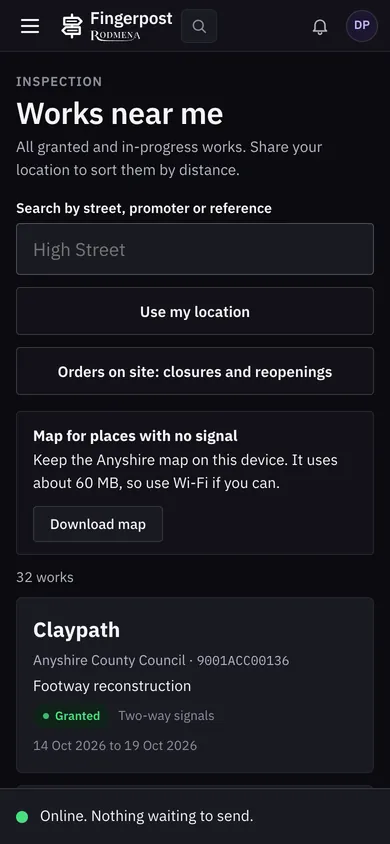
Field app for inspectors

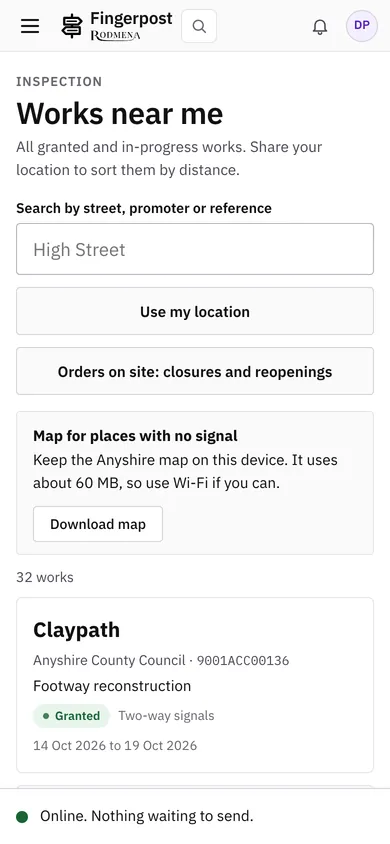
Inspectors use Fingerpost on a phone. Works starts and stops, notes and photos recorded without a signal are sent when the phone is back online.

  • Works near me, sorted by distance from where the inspector is standing.
  • Start and stop served on site, with a photo resized on the phone before it is sent.
  • An outbox that keeps what was recorded offline and sends it once, however often the phone reconnects.
  • An optional offline base map of your area, about 60 MB, downloaded once to the phone.
  • Sample inspections in categories A, B and C, recorded against the permit.
  • Copies kept on the phone expire after seven days and are deleted at sign-out.
Fingerpost: Field app for inspectorsFingerpost: Field app for inspectors

Enforcement

Enforcement officers see breaches as they happen and issue fixed penalty notices from the permit they relate to.

  • An enforcement view of works past their proposed end with the section 74 charge so far, and failed inspections to follow up.
  • Fixed penalty notices tracked from issue to payment, dispute, withdrawal or prosecution.
  • Penalty notices paid at the discounted rate are told apart from those paid in full.

Cases and correspondence

Enquiries, emails and applications from residents and businesses land in Fingerpost and are linked to the works or order they are about.

  • Cases with an owner, tasks and a timeline that every officer on the case reads.
  • An email log of everything sent and received, with delivery events. A reply carrying a record’s tag is filed against that record.
  • Online applications for temporary orders, events, skips, scaffolds, hoardings, cranes and compounds.
  • Letter and email templates your team edits, with earlier versions kept.

Public information

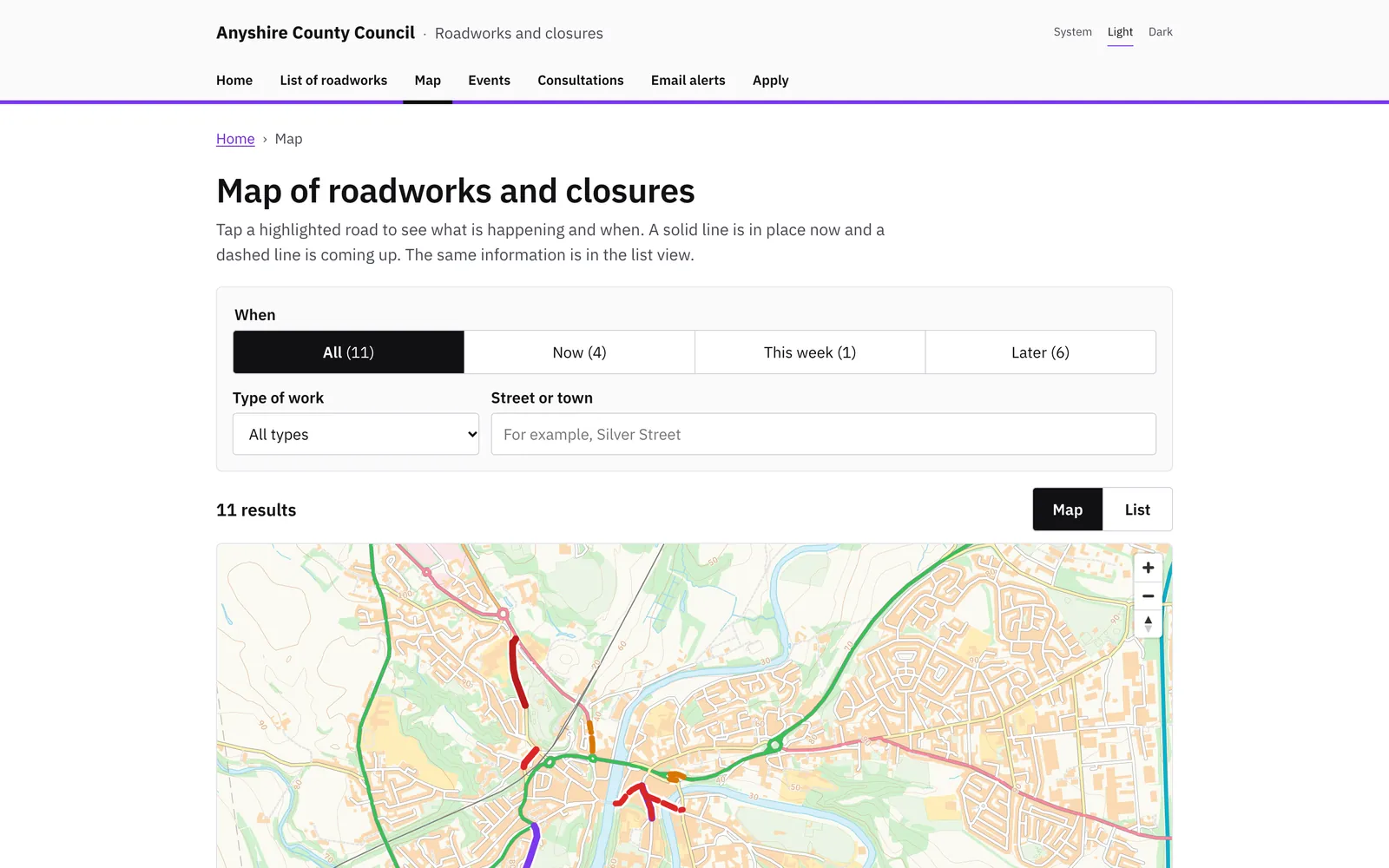
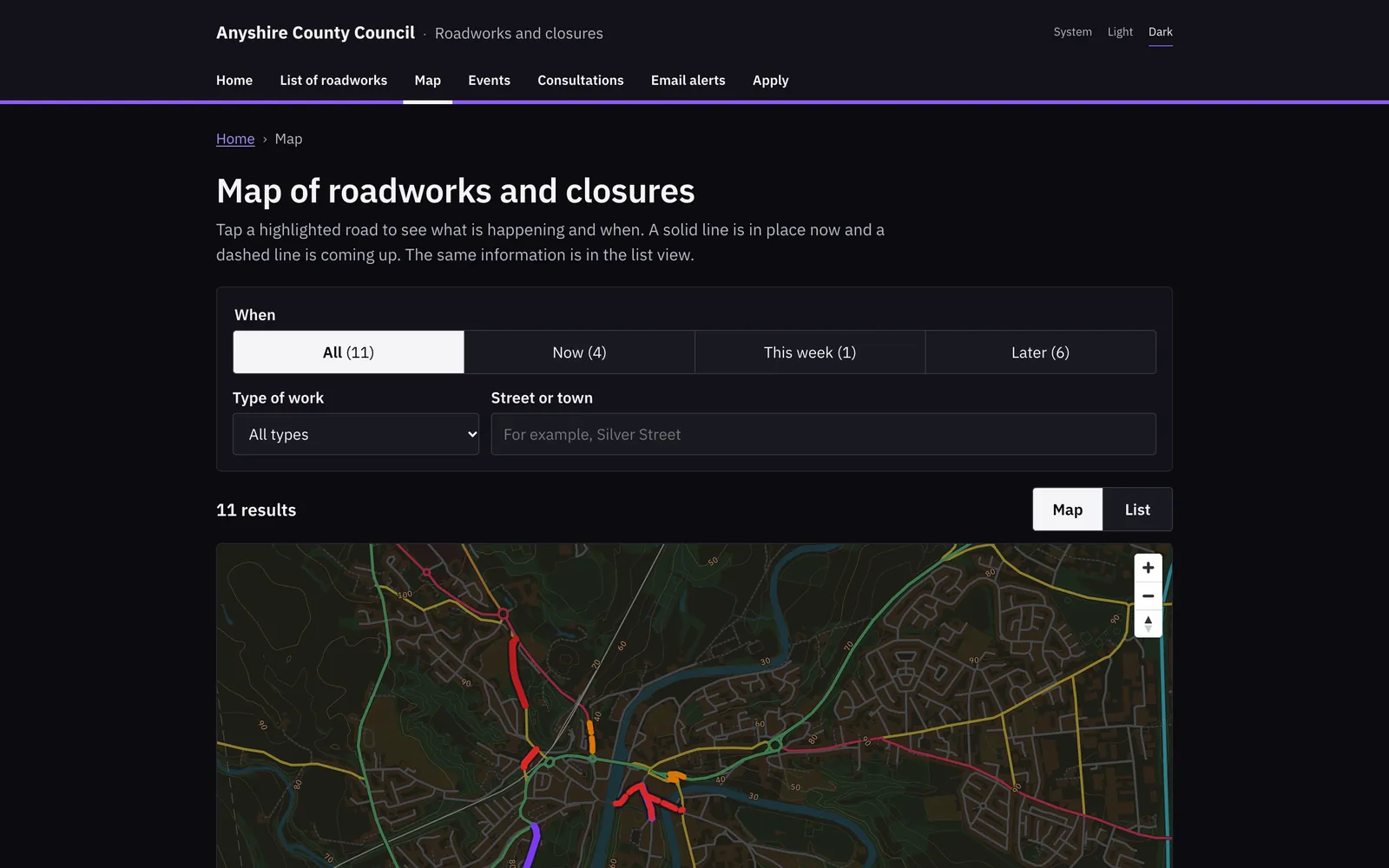
Your own roadworks site, with no sign-in, shows the same works and closures your officers see, in plain language.

  • A public map of roadworks, closures and events, and a page for each one with its dates and diversion.
  • Orders in force, and consultations where residents can comment online.
  • Email alerts for a street or area, confirmed by the resident and cancelled with one link.
  • Online applications with a tracking page the applicant can return to.
  • A map other websites can embed, and a display screen for a control room wall.
  • Visit counts kept without cookies.
Fingerpost: Public informationFingerpost: Public information

Open data feeds

Journey planners, sat-nav services and traffic data services read your works from Fingerpost’s public feeds.

  • High-impact works as text, JSON and GeoJSON.
  • DATEX II for traffic data services and WZDx for work zone data.
  • Waze CIFS for sat-nav services and UTMC situations for journey planners.
  • Calendar feeds that officers and the public add to Outlook or Google Calendar.
  • OGC API – Features collections for GIS teams.

Works to

  • DATEX II v3
  • WZDx 4.2
  • Waze CIFS
  • UTMC
  • OGC API – Features
  • iCalendar

Reporting and audit

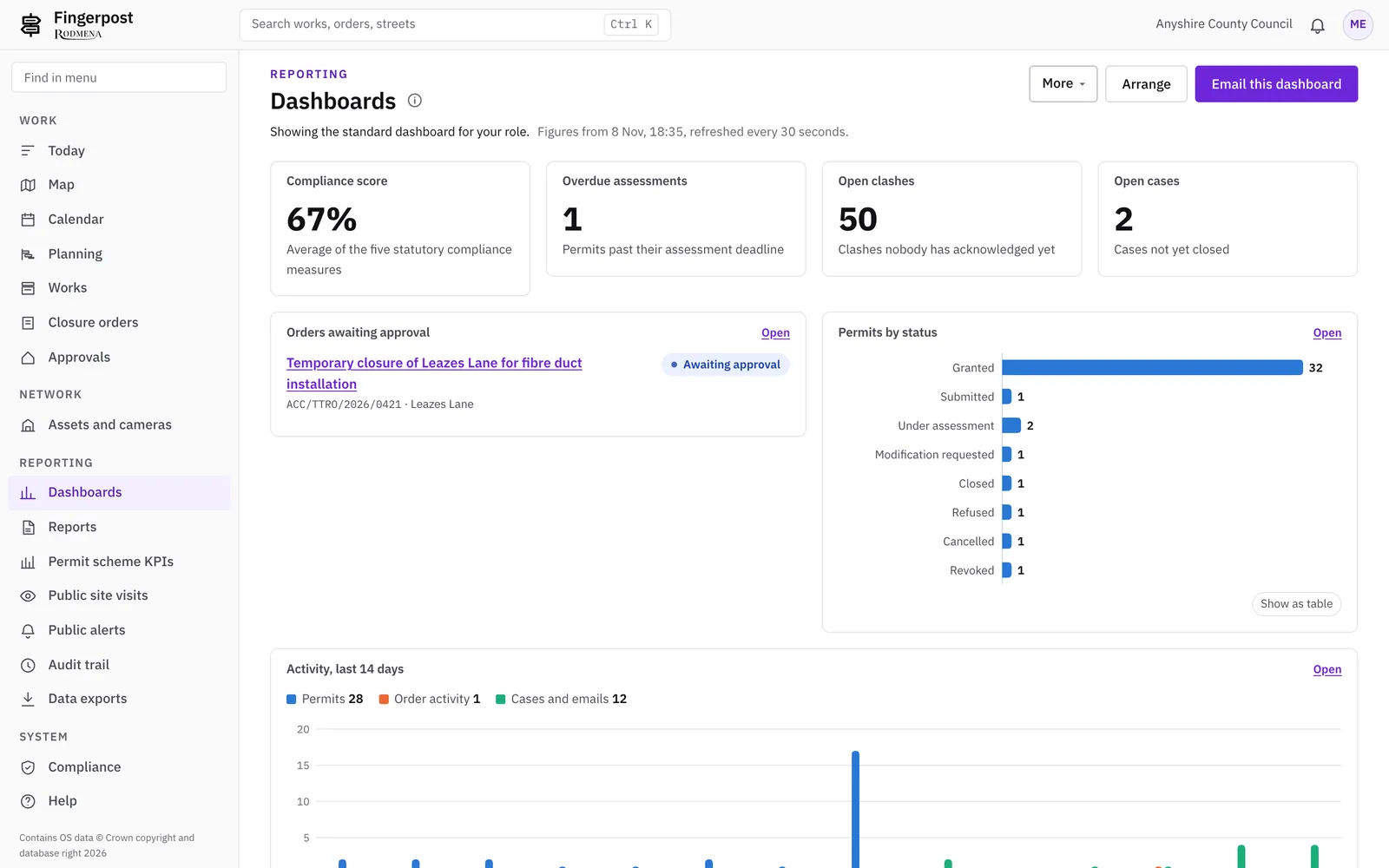
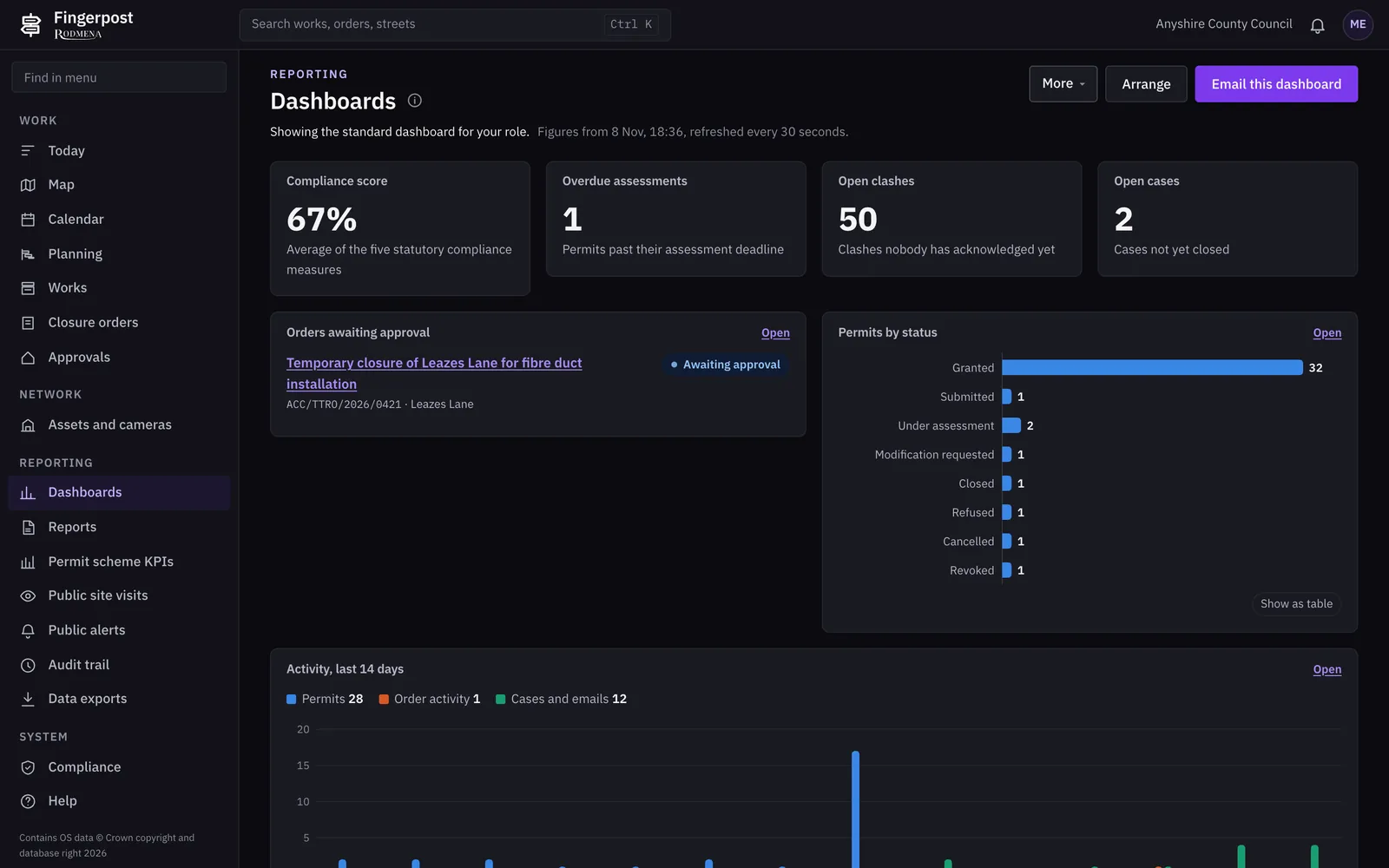
Managers get dashboards and the permit scheme’s own measures. Everything an officer, a workflow or the Street Manager connector does is in the audit trail.

  • Dashboards with charts and a map, shared with colleagues.
  • The permit scheme’s KPIs for the annual report.
  • Reports downloaded as CSV, emailed, or sent on a schedule.
  • An audit trail of who did what, when and why. Entries cannot be edited or deleted.
  • Each dataset exported as CSV or JSON, limited to the rows changed since a time you choose.
Fingerpost: Reporting and auditFingerpost: Reporting and audit

Administration

Your system administrator manages accounts, fees and map layers without touching any works or order.

  • Nine roles, from coordinator and traffic regulation officer to enforcement, business support and bus operator.
  • The administrator’s role holds no permission that changes works or orders.
  • Sign-in with Microsoft work accounts through RODMENA ID.
  • A fee schedule kept in versions, used for every estimate.
  • Figures for the last 24 hours from each background process, such as the Street Manager poll, outbound mail and scheduled reports.

See it with your own network

We show Fingerpost on a map of your area. Write to us and we will arrange a time.

Book a demonstration